Talk through the property. Leave with the report.
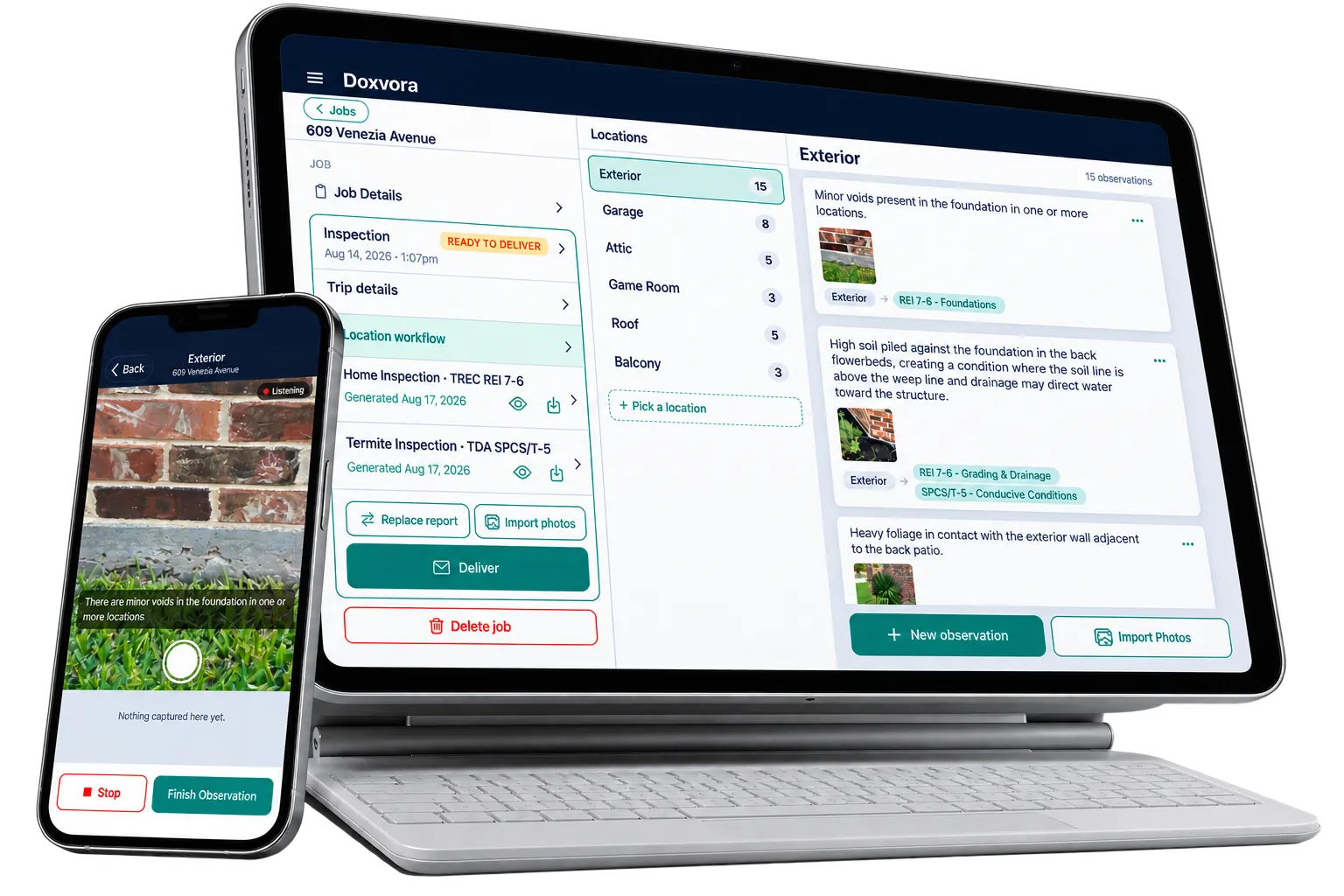
Doxvora is the AI-powered iPhone and iPad app that turns what a home inspector or an engineer says on site into a finished report. Narrate what you see and photograph it as you go, and Doxvora writes the report. You review it, sign it and deliver it before you leave.
Built for your line of work.
The way you work is the same in every line of work. What you hand over is not, so each one has its own pages: its report, what is particular to it, and its pricing.
Home inspection
For licensed Texas home inspectors
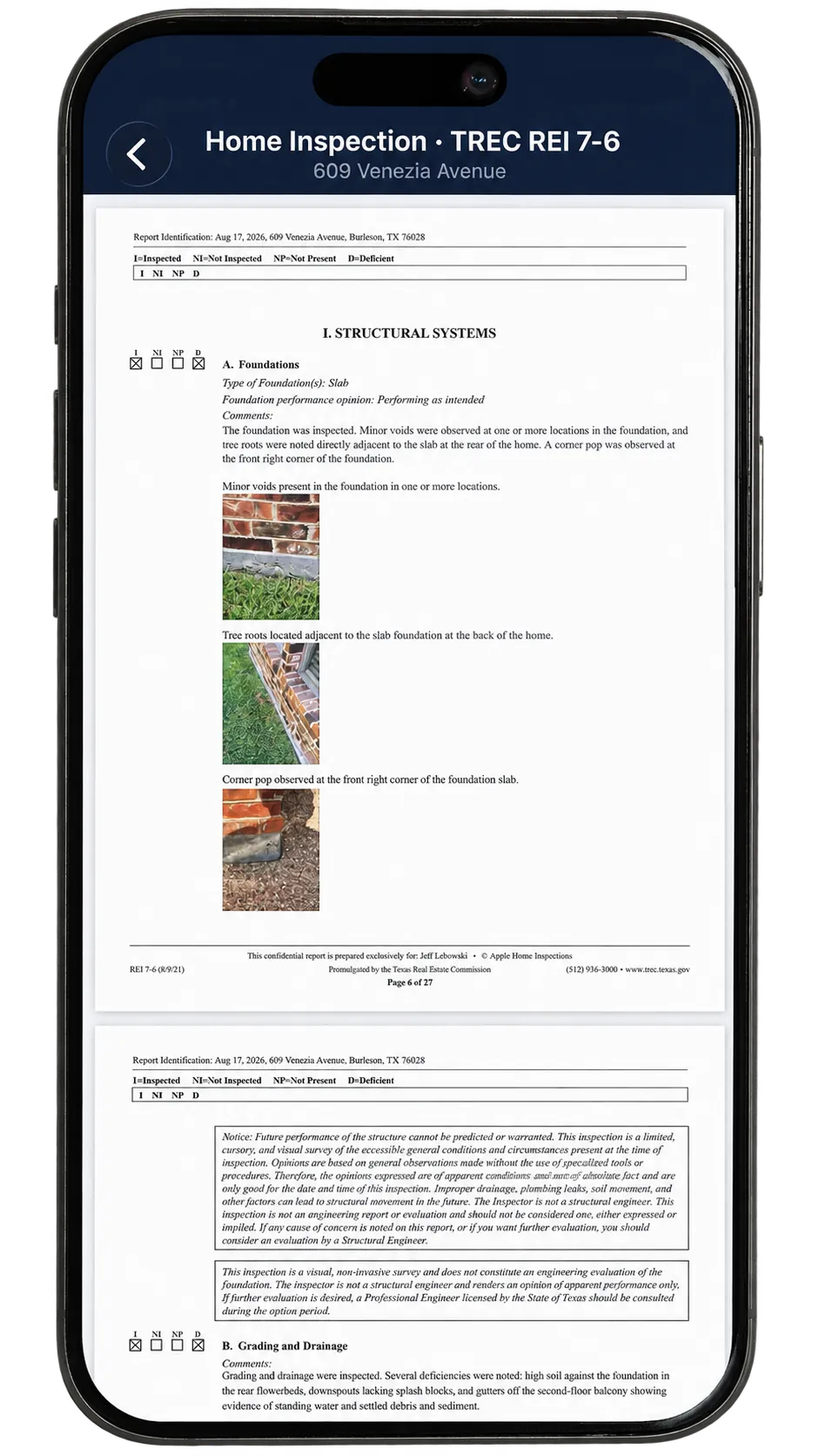
You hand over the State's forms: the TREC REI 7-6, and the SPCS T-5 termite report if you hold the license, both from one narration.
Doxvora for home inspection →Loss assessment
For engineers assessing a loss
You hand over your report on the claim: what you observed, the cause you give and what you recommend, with your readings and under your seal.
Doxvora for loss assessment →Capture, clarify, deliver.
Three things have to happen before a report exists. All three happen on the property.
Capture
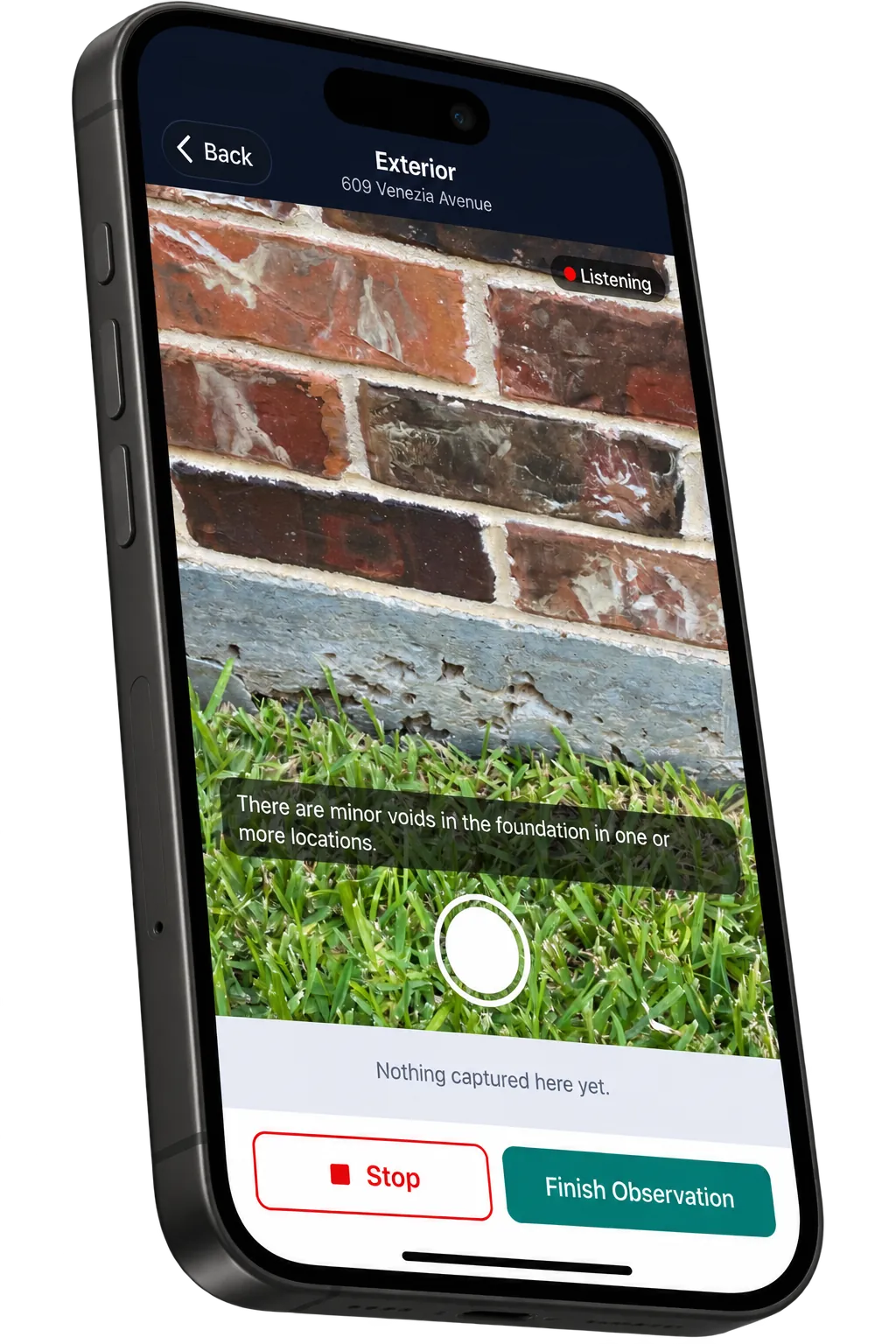
The field is hands-busy. You talk, you take pictures, and a photo attaches to whatever you were saying when the shutter fired.
Your words become text on the device, no audio is kept, and none of it needs a signal.
Clarify
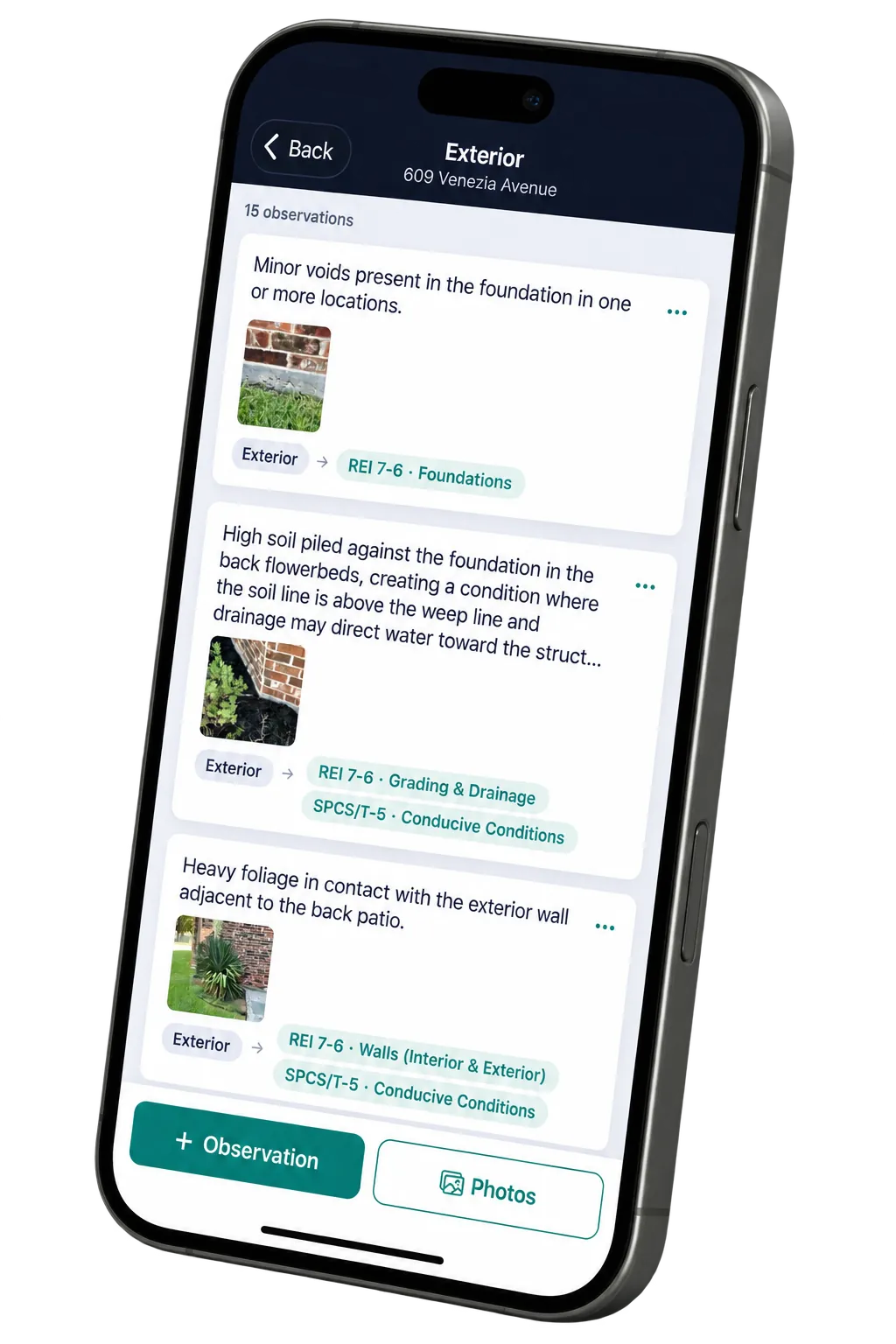
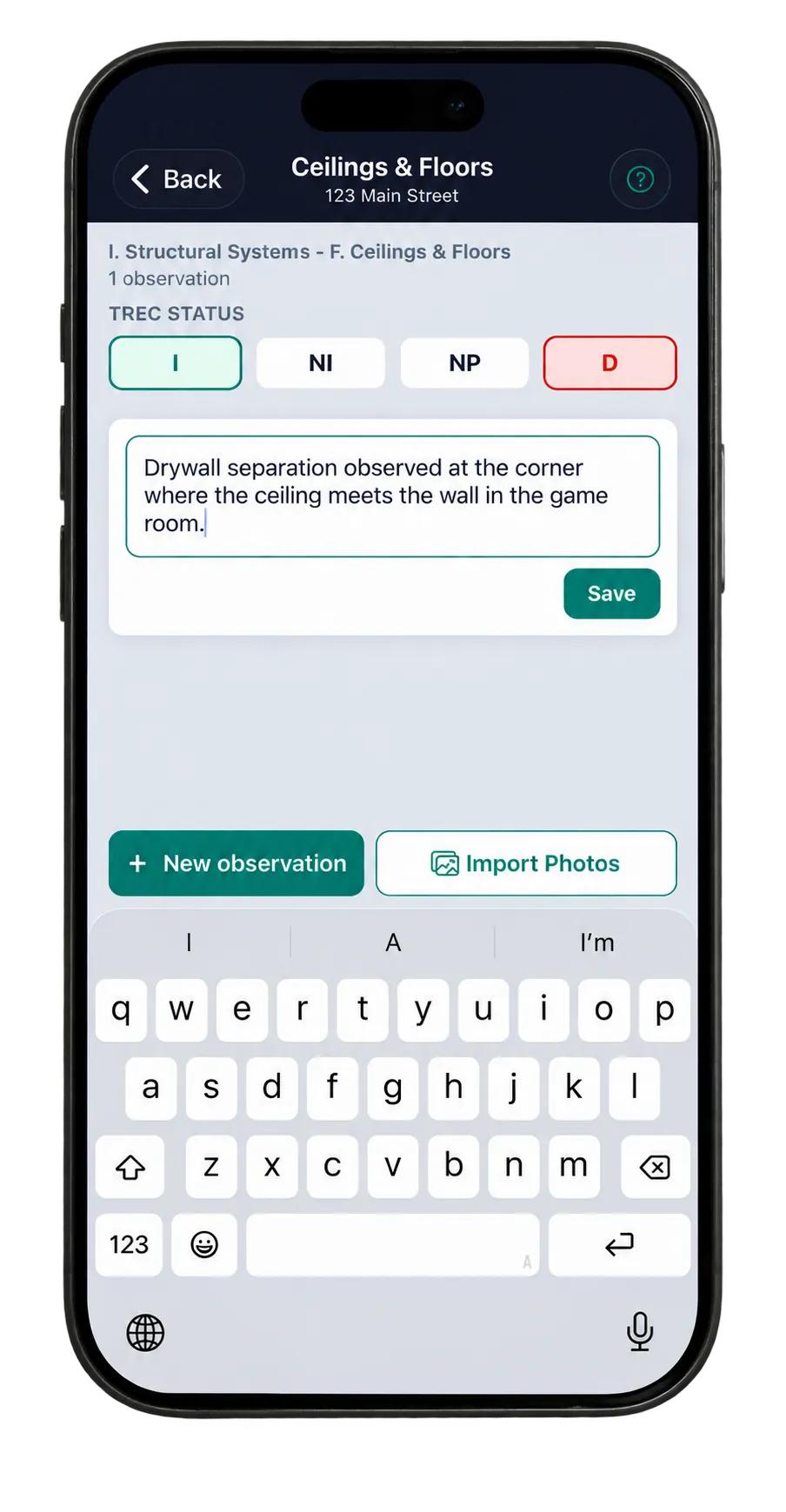
Doxvora reads what you said, separates it into the distinct things you observed, and puts each one where your report needs it.
Then wrap up asks, one question at a time, for anything the report still needs.
Deliver
One tap builds the report from what you recorded, and you read the whole of it first.
One more sends it to your client's page.
It never writes an observation you did not make.
Doxvora drafts. You sign.
It writes up what you said in clear sentences and files each one where it belongs. It will not add a fact about the property you did not state or name a cause you did not give.
No audio is saved, and your photographs are never sent to an AI service.
It works where you work.
Signal is not a feature.
Capture does not need one. Everything on the property runs on the device, so a room with no bars is not a problem. Building the report and sending it need a connection, and the app tells you so directly.
Phone or iPad, whichever is in your hand.
Capture is the same on both. Work on one and it shows up on the other.
Free to download.
Your account is made in the app, and setup takes you through the rest.